A whole page in one download.
Export every stored table on a published page, with one worksheet per table. Or choose just the table you need.
 Export Tables to Excel & CSV for Confluence
Confluence Cloud app
Download one table or every table on a published page as an Excel workbook, with a worksheet per table. Merged cells, leading zeros, and long text IDs stay as they are. Choose CSV or Copy when you need another format.
Free for Confluence sites with up to 10 users.
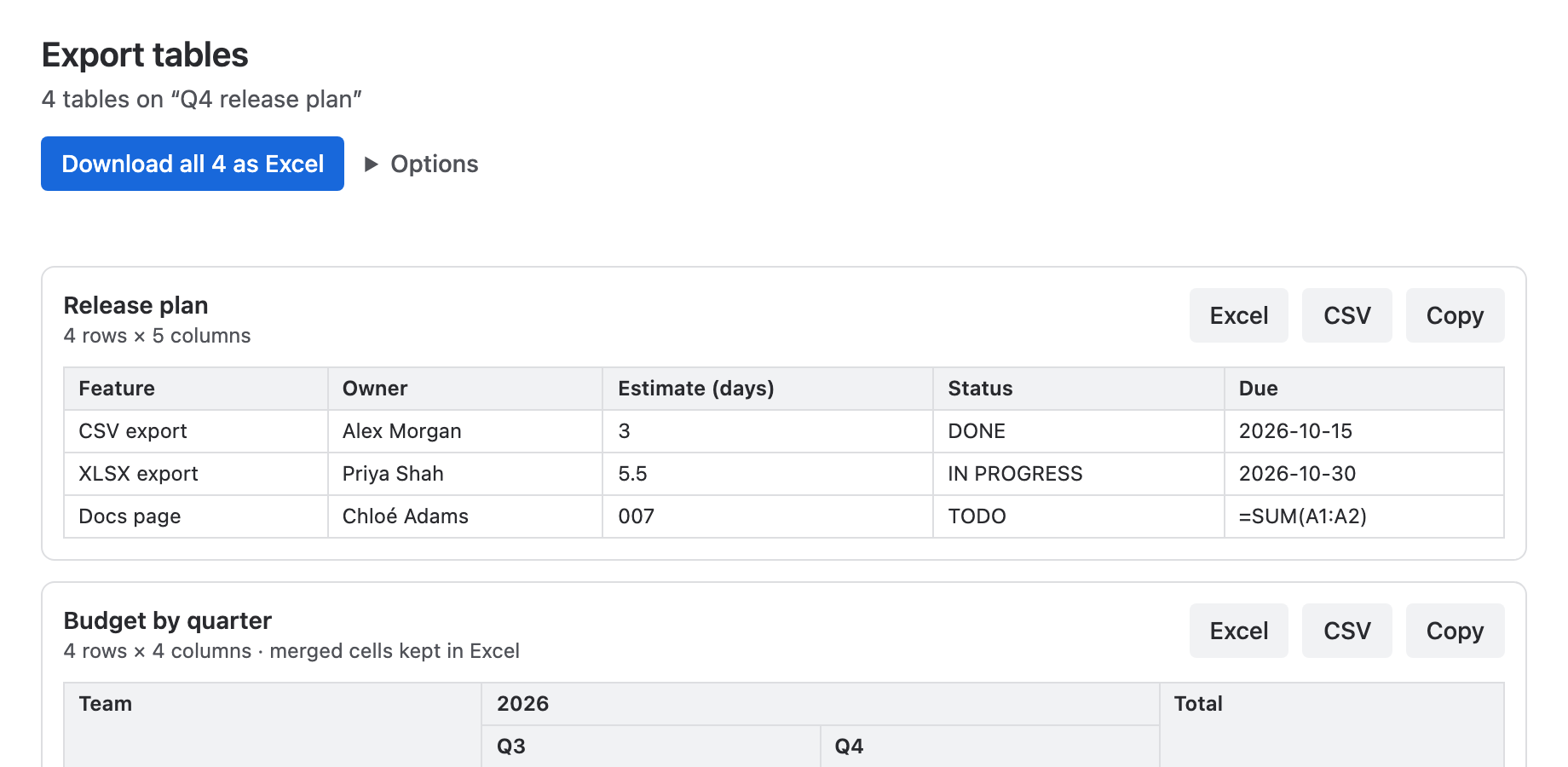
Export every stored table on a published page, with one worksheet per table. Or choose just the table you need.
Excel downloads preserve merged cells, text IDs, multiline cells, and frozen headers. Unambiguous numbers remain numeric.
Pick a CSV separator or copy a table into a spreadsheet. For exact values and cell layout, use the Excel download.
A Confluence administrator installs the app once from Atlassian Marketplace. After that, anyone who can read a page can export its tables. The user guide explains the CSV and number options.
When you paste a table into Excel or open a CSV file, Excel guesses what each cell contains. An ID like 007 becomes 7, long numbers lose every digit after the 15th and switch to scientific notation, and text that looks like a date can turn into a date.
The Excel download stores those values as text, so they stay as written. Plain numbers such as 42 or -3.5 remain numeric cells you can sum. Merged cells are kept, header rows are bold and frozen, and multiline cells wrap.
The app reads Confluence using your existing permissions and creates the export in your browser. It has no vendor backend, external API calls, or app data store.
You control where downloaded files and copied content go.
Jira lists and other tables generated by macros are outside the export scope. Dates and links export as text; cell colours are not preserved. CSV import and Safari Copy can change values.
Yes. Download all as Excel puts every stored table on the published page into one workbook, with a separate worksheet for each table. Worksheet names come from nearby headings or expand titles.
No. Export Tables is a Forge app for Confluence Cloud.
Excel (.xlsx); CSV with a comma, semicolon, or tab separator; and Copy, which puts the table on the clipboard for pasting into a spreadsheet.
No. The app exports tables stored in the page, including tables inside layouts, expands, and Content Properties bodies. Tables generated by macros, such as Jira issue lists or the Content Properties Report, are not included.
Yes. Published blog posts use the same menu item and formats as pages.
The app reads the last published version of the page. Publish your changes, then export.
No. The app reads the page with your Confluence permissions and builds the file in your browser. It has no vendor backend, external API calls, app data store, or third-party analytics.
It is free for Confluence sites with up to 10 users. Larger sites subscribe per user through Atlassian Marketplace, which also offers a free trial.