Lost your voice? Type it — your phone says it.
Type it. Your phone says it.
Lost My Voice – Type & Speak turns typed text into clear, natural speech — instantly. Made for anyone who temporarily or permanently can't speak: laryngitis, vocal cord surgery, a sore throat, or any condition that takes your voice away.
- Speaks even when your phone is on silent
- Works completely offline — no account, no internet
- No data collection, no ads, no subscription
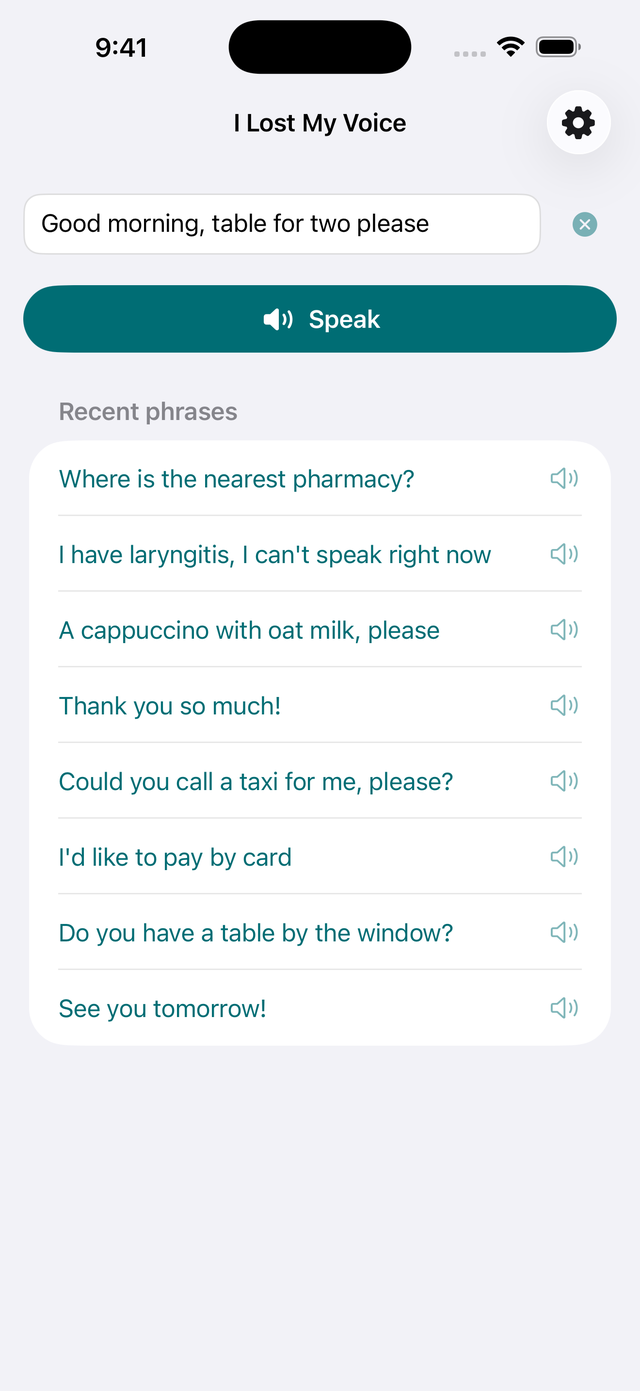
What is it? Lost My Voice – Type & Speak is a free text-to-speech app for iPhone, iPad and Android — a talking app for when you have lost your voice. You type a message, tap Speak, and the phone says it out loud in a natural voice — even when it is on silent. It works entirely offline, collects no data, and a one-time $4.99 purchase (no subscription) removes the free limit of 5 spoken messages per day.
How it works
-
1
Type your message
"A cappuccino with oat milk, please." No setup, no account — the app is usable seconds after you download it.
-
2
Tap Speak
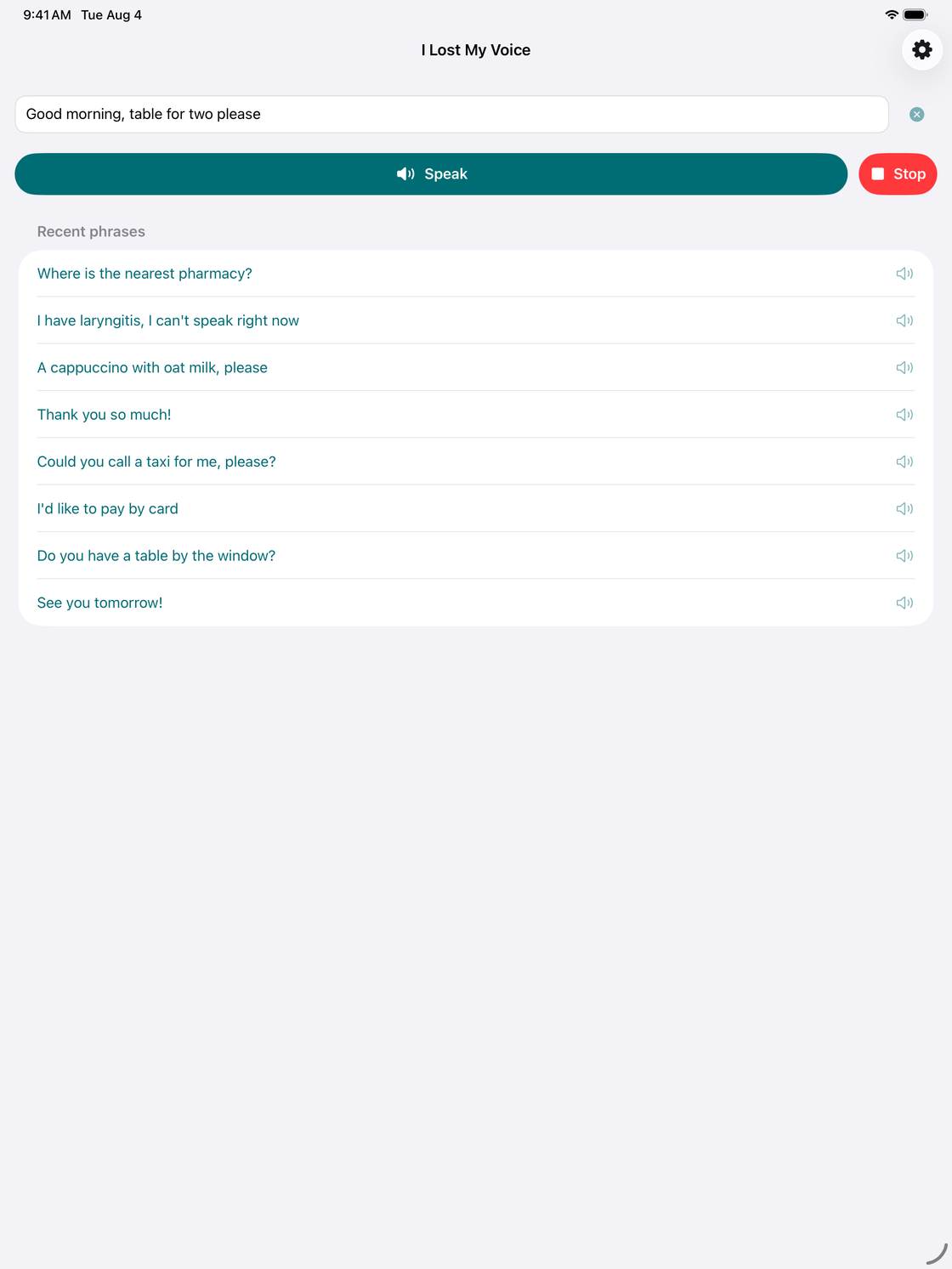
Your phone says it aloud in a clear, natural voice. Tap Stop any time.
-
3
Re-speak with one tap
Frequent sentences are saved as recent phrases, so ordering, thanking, and explaining take a single tap.
Why it works when you can't talk
🔊 Never muted
Speaks even when your phone is on silent — the iPhone silent switch can't mute it, and on Android it plays at media volume, not ringer volume.
✈️ Fully offline
Speech is generated on your device. No internet, no account, no waiting — it works in a basement pharmacy or on a plane.
⚡️ Instant
One tap from typed text to speech. A Stop button halts it instantly.
🔁 Recent phrases
Common sentences stay one tap away, so you're not retyping "thank you so much" all day.
🌍 Every installed voice
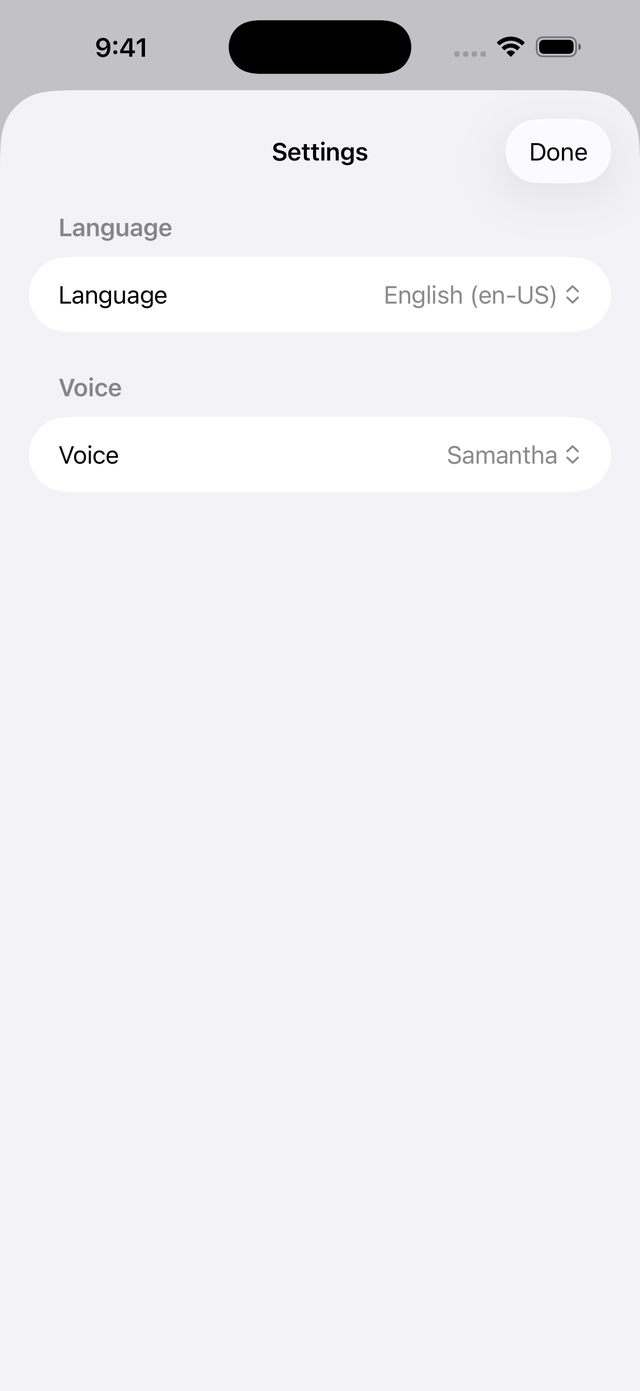
Choose any language and voice installed on your phone — including the high-quality voices from the iPhone's Accessibility settings or Android's text-to-speech settings.
🔒 Private by design
App Store privacy label: Data Not Collected. Google Play data safety: no data collected or shared. No analytics, no ads. Your words are yours.
Made for the days (or years) without a voice
Whether it's a week of laryngitis, doctor-ordered voice rest after vocal cord surgery, a sore throat that turned your voice into a whisper, or a long-term condition that affects speech — Lost My Voice gives you a simple, dignified way to be heard. At the doctor's office, ordering coffee, in a meeting, or talking with family: type it, and be heard.
Teachers, singers, and call-center workers use it to protect a strained voice; speech-language pathologists recommend simple text-to-speech apps like this one as a low-barrier communication aid.
Big and clear on tablets, too
The same one-tap speech on the large screen — handy at a bedside table or as a desk communicator. One download covers both your iPhone and iPad, and the Android app runs on phones and tablets alike.
Speaks your language — 34 of them, actually
The app interface is available in English, Arabic, Catalan, Chinese (Simplified and Traditional), Croatian, Czech, Danish, Dutch, Finnish, French, German, Greek, Hebrew, Hindi, Hungarian, Indonesian, Italian, Japanese, Korean, Malay, Norwegian, Polish, Portuguese (Brazil and Portugal), Romanian, Russian, Slovak, Spanish, Swedish, Thai, Turkish, Ukrainian, and Vietnamese.
And it can speak in any language or voice installed on your device. On iPhone and iPad, download more voices free of charge in Settings > Accessibility > Spoken Content > Voices. On Android, add voices in the text-to-speech settings — usually Settings > Accessibility > Text-to-speech output (the exact path varies by phone).
Simple, honest pricing
Free
$0
Speak up to 5 messages per day. All features included — every voice, recent phrases, offline use.
Full Version
$4.99
One-time purchase. Unlimited messages forever. No subscription, ever. Already bought it? Tap Restore Purchases on any device signed in to the same App Store or Google Play account.
Privacy: nothing to collect, nothing collected
Everything happens on your device. The app has no account, no analytics, no ads, and its App Store privacy label is Data Not Collected; on Google Play, the data safety section likewise lists no data collected or shared. The one-time purchase is processed entirely by Apple or Google Play. Read the full privacy policy for iPhone and iPad or Android.
Frequently asked questions
Is Lost My Voice available for Android?
Yes. Lost My Voice is on Google Play for Android phones and tablets running Android 8.0 or later, and on the App Store for iPhone and iPad with iOS 16 or later. Both versions have the same free daily limit and the same one-time Full Version purchase.
Does Lost My Voice work offline?
Yes. Speech is generated entirely on your device, so the app works with no internet connection, no account, and no setup. It is usable within seconds of downloading it.
Will it speak when my phone is on silent?
Yes. On iPhone, Lost My Voice plays speech even when the silent switch is on. On Android, it speaks at media volume, so a silenced or vibrating ringer does not mute it — just keep the media volume up.
How much does the app cost?
The app is free to download and speaks up to 5 messages per day. A single one-time purchase of $4.99 (or local equivalent) unlocks unlimited messages forever. There is no subscription and there are no ads.
What languages does it support?
The app can speak in any language and voice installed on your device. On iPhone and iPad, download more voices free of charge in Settings > Accessibility > Spoken Content > Voices. On Android, add voices in the text-to-speech settings (usually Settings > Accessibility > Text-to-speech output). The app's interface is localized into 34 languages.
Does the app collect my data?
No. The App Store privacy label is "Data Not Collected" and the Google Play data safety section says no data is collected or shared. Everything you type stays on your device; the app has no account, no analytics, and no ads.
Does it work on iPad and Android tablets?
Yes. Lost My Voice runs on iPhone and iPad (iOS 16 or later) and on Android phones and tablets (Android 8.0 or later).
Who is the app for?
Anyone who temporarily or permanently can't speak: laryngitis, a sore throat, voice rest after vocal cord surgery, or a long-term condition that affects speech. Type your message and the phone says it out loud for you.
I bought the Full Version on another device — do I have to pay again?
Not on the same platform. The unlock is tied to your App Store account on iPhone and iPad, or to your Google account on Android. Open the paywall on the new device and tap "Restore Purchases". A purchase made on iPhone does not unlock the Android app, and vice versa.
More questions? See the support page or email info@druidori.com.
Get your voice back today
Free download · speaks in seconds · nothing to configure