Hear it, then play it back
Ear training and rhythm in a few minutes a day. Tap, clap, sing or play your answer, and see right away what was early, late or off.
KeenEar plays a short rhythm, melody or note, and you answer the way musicians do: on the screen, by clapping or singing, or on a MIDI keyboard, guitar or bass. The app listens and tells you which beat came early or late and which note was off. Rhythm counts as much as pitch.
- 56 short lessons in 12 blocks, from beginner to advanced
- A placement test of about four minutes skips what you already know
- Each session brings back what you found hardest
- The first 10 lessons are free
- No account, no ads · Google Play data safety: No data collected
What is it? KeenEar: Ear Training & Rhythm is an ear trainer and rhythm trainer for Android (8.0 or later, phones and tablets). You hear a short prompt and answer it by tapping, clapping, singing, or playing on the on-screen keyboard, a MIDI keyboard or a guitar or bass, and the app scores the answer on your device. It has 56 lessons in 12 blocks for rhythm, intervals, melodies and singing, and a placement test. The first 10 lessons are free; KeenEar Pro, a monthly or yearly subscription with a 7-day free trial on the yearly plan, unlocks all 56. There is no account and there are no ads.
KeenEar at a glance
| Device | Android phones and tablets, Android 8.0 or later. Not on iPhone or iPad yet. |
|---|---|
| Languages | English, Czech, German, French, Spanish, Italian, Portuguese (Brazil), Japanese, Korean and Chinese (Traditional). |
| Exercises | Repeat the rhythm, repeat the melody and sing it back. How each one works. |
| How you answer | Tap the screen, clap, sing, or play on the on-screen keyboard, a USB or Bluetooth MIDI keyboard, or a guitar or bass through the microphone or a USB audio interface. |
| Lessons | 56 in 12 blocks at three levels: Beginner, Intermediate and Advanced. What they cover. |
| Note names | C D E F G A B, the German and Czech C D E F G A H, fixed do (Do Re Mi) or movable-do solfège. |
| Fair scoring | Calibration for the delay of Bluetooth headphones, and an “I played it correctly” button when you disagree. |
| Price | Free download with the first 10 lessons. KeenEar Pro: monthly, or yearly with a 7-day free trial. |
| Privacy | No account, no ads, no analytics. Sound is analysed on the device and never stored; progress stays on your device. |
Answer the way musicians do
Most ear trainers ask you to tap a button with the right answer. In KeenEar every exercise is performed: you play, sing or clap what you heard, and the app hears it.
- 1
Listen
A short rhythm, melody or note. Play it again if you need to.
- 2
Answer
Tap or clap the rhythm, play the melody, or sing the notes back.
- 3
See what was off
Every beat early, late or right on time, every note right or wrong, and for singing how many cents you were off.
- 4
Come back tomorrow
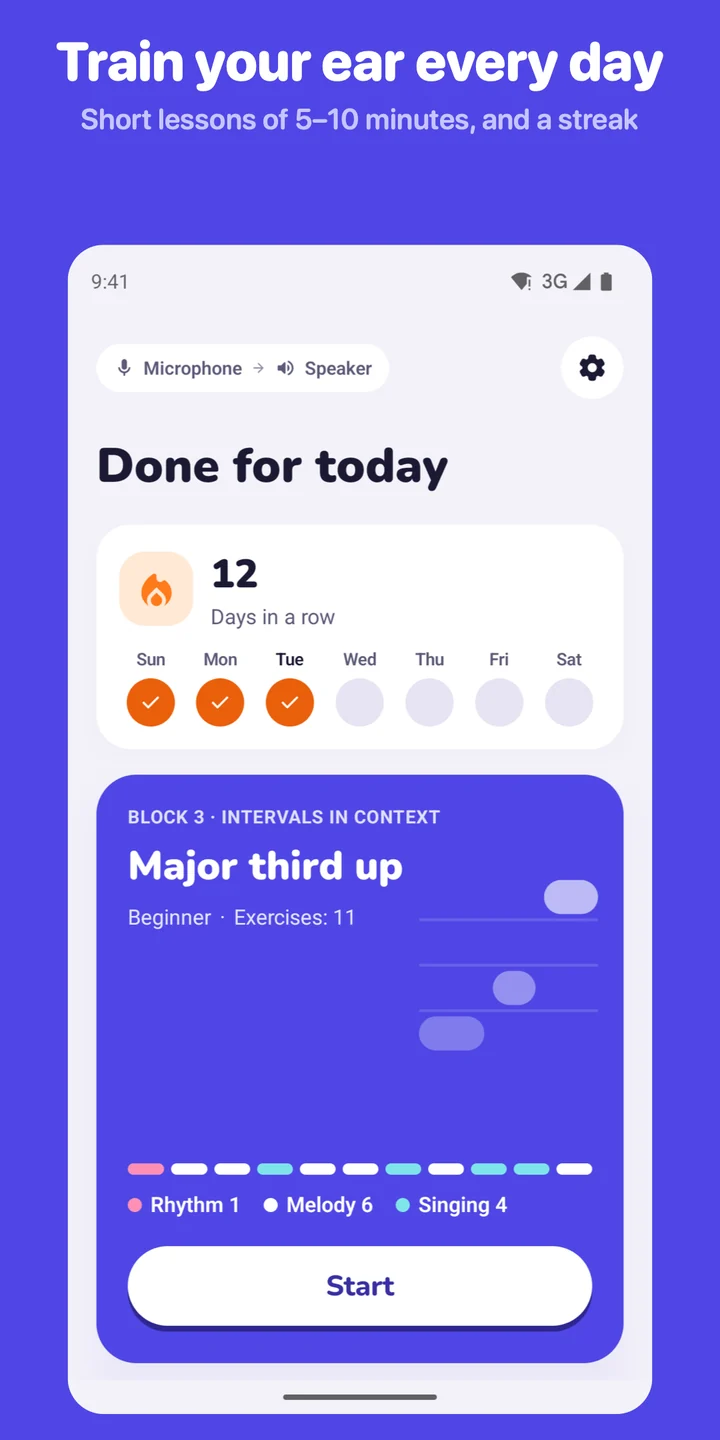
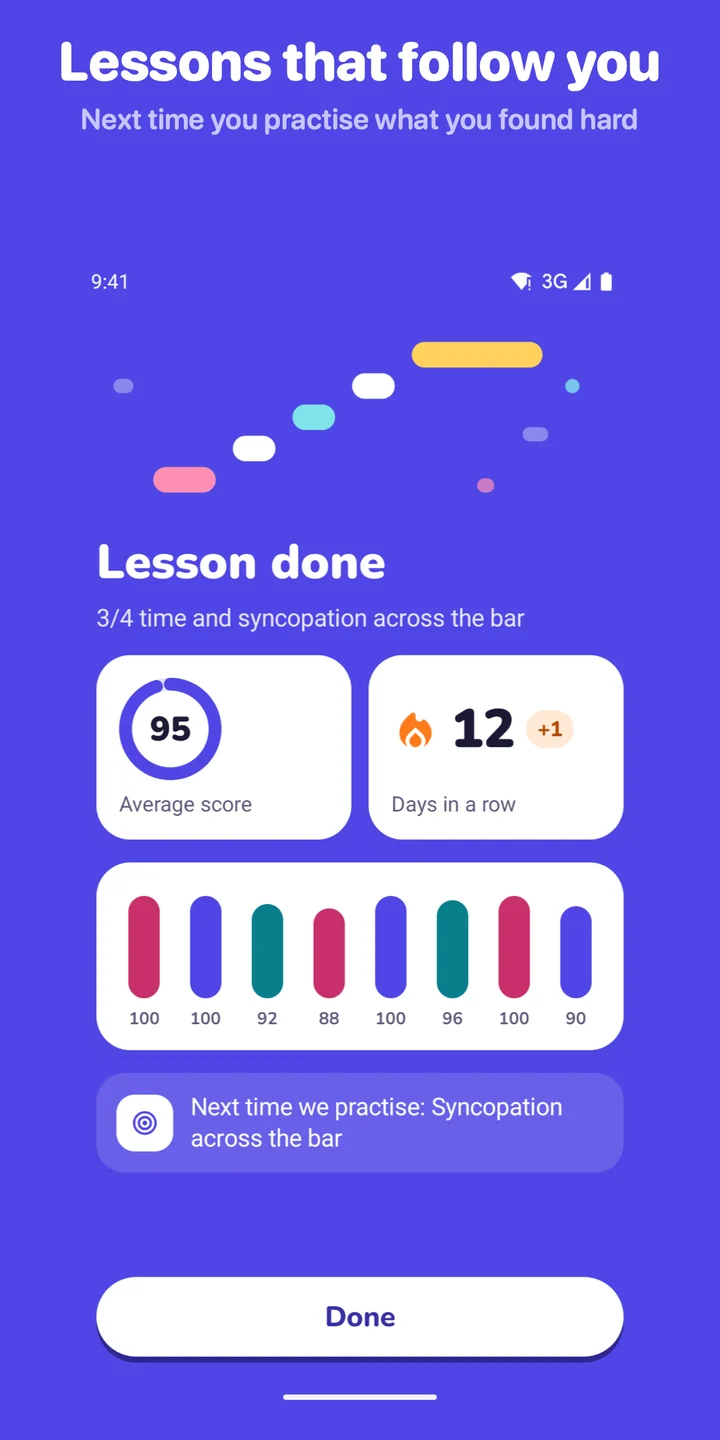
Five to ten minutes a day. The next session brings back what you found hardest, and your streak grows.
Tap
Tap the rhythm on a large pad on the screen. Works anywhere, without the microphone.
Clap
Clap into the microphone. KeenEar hears each clap and scores it against the beat.
Sing
Sing a note or a short phrase over a drone and follow your voice on a live pitch curve.
On-screen keys
A keyboard on the screen, labelled with the note names you use.
MIDI keyboard
Plug one in by USB, or pair a Bluetooth MIDI keyboard inside the app: Settings › Sound check › Bluetooth MIDI.
Guitar or bass
Play into the microphone or plug in through a USB audio interface such as an iRig. The app checks the exact octave.
Rhythm counts as much as pitch
Three kinds of exercise, each with its own colour in the app, so a lesson shows what is coming.
-
 Repeat the rhythm
Tap or clap it back
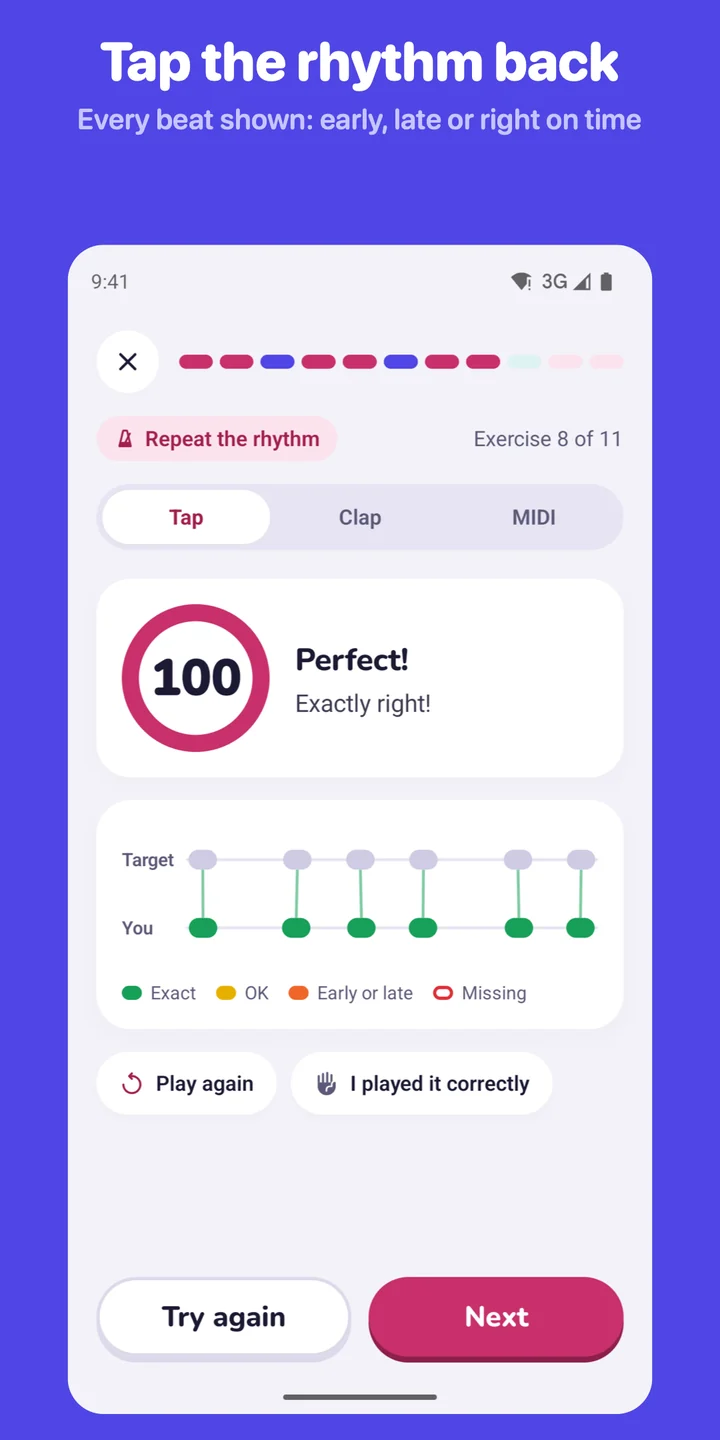
Quarter notes, eighths and sixteenths, rests, dotted notes, syncopation, triplets, and 3/4, 6/8 and 5/4 time. Each beat shows as exact, OK, early or late, or missing.
-
 Repeat the melody
Play melodies by ear
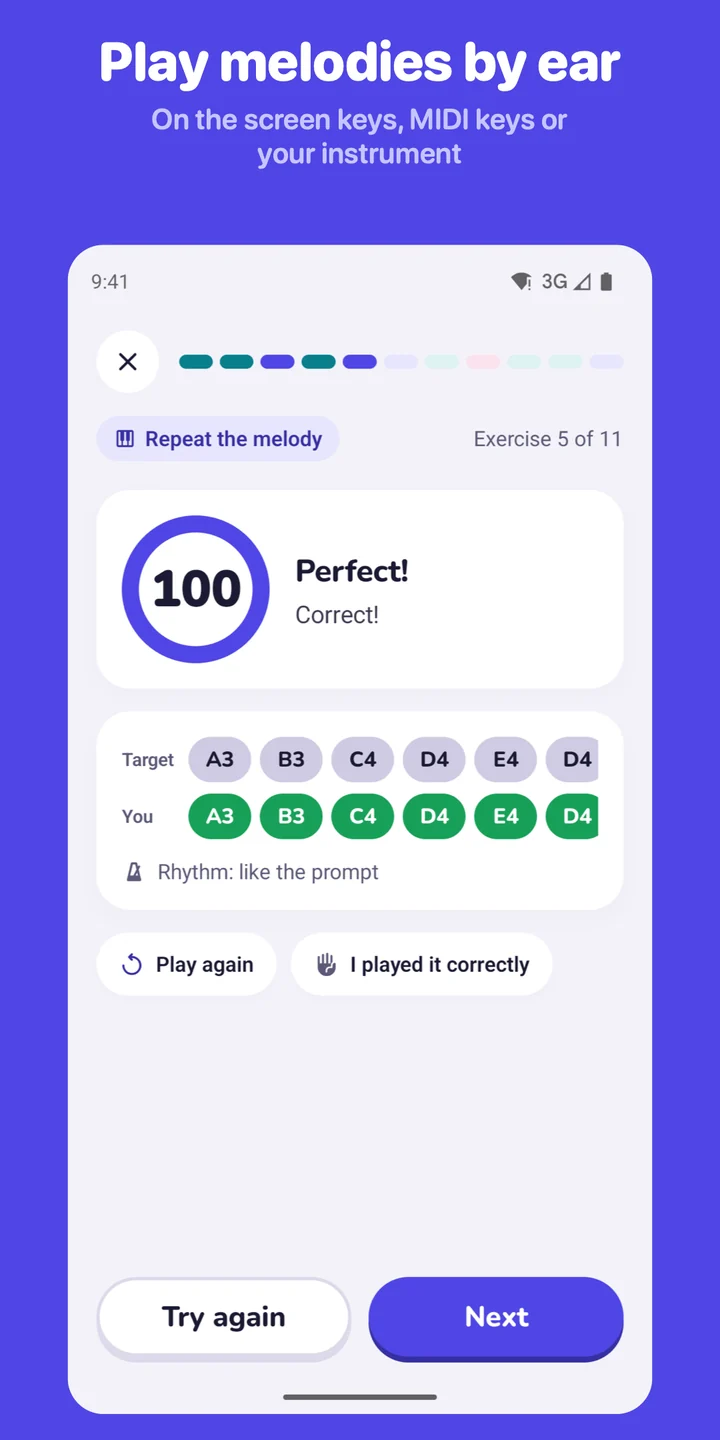
From two-note motifs to eight-note phrases, in major and minor, in the Dorian and Mixolydian modes and in other keys. You see the notes you played under the ones you heard.
-
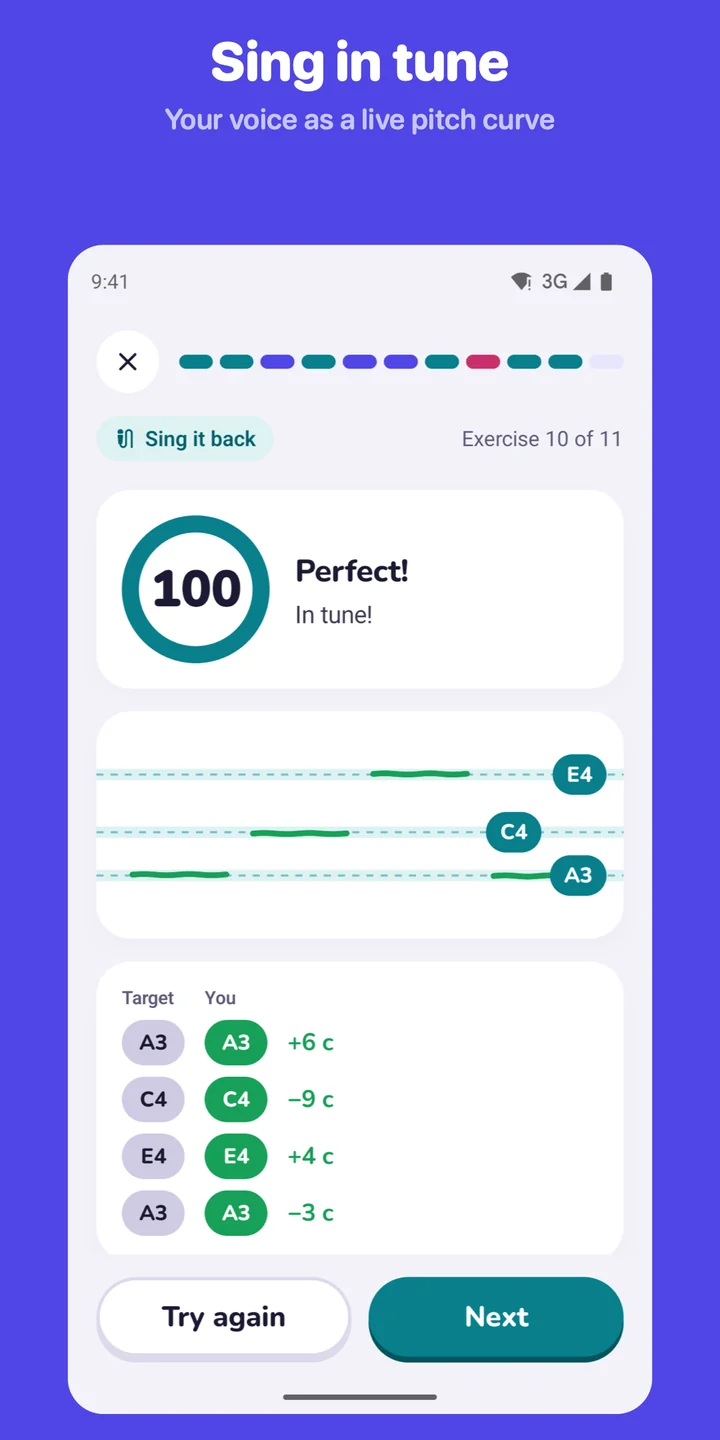 Sing it back
Sing in tune
Sing a note or a short phrase back over a drone and watch your voice on a live pitch curve until you are in tune. Guitar and bass players play it instead.
56 lessons that follow you
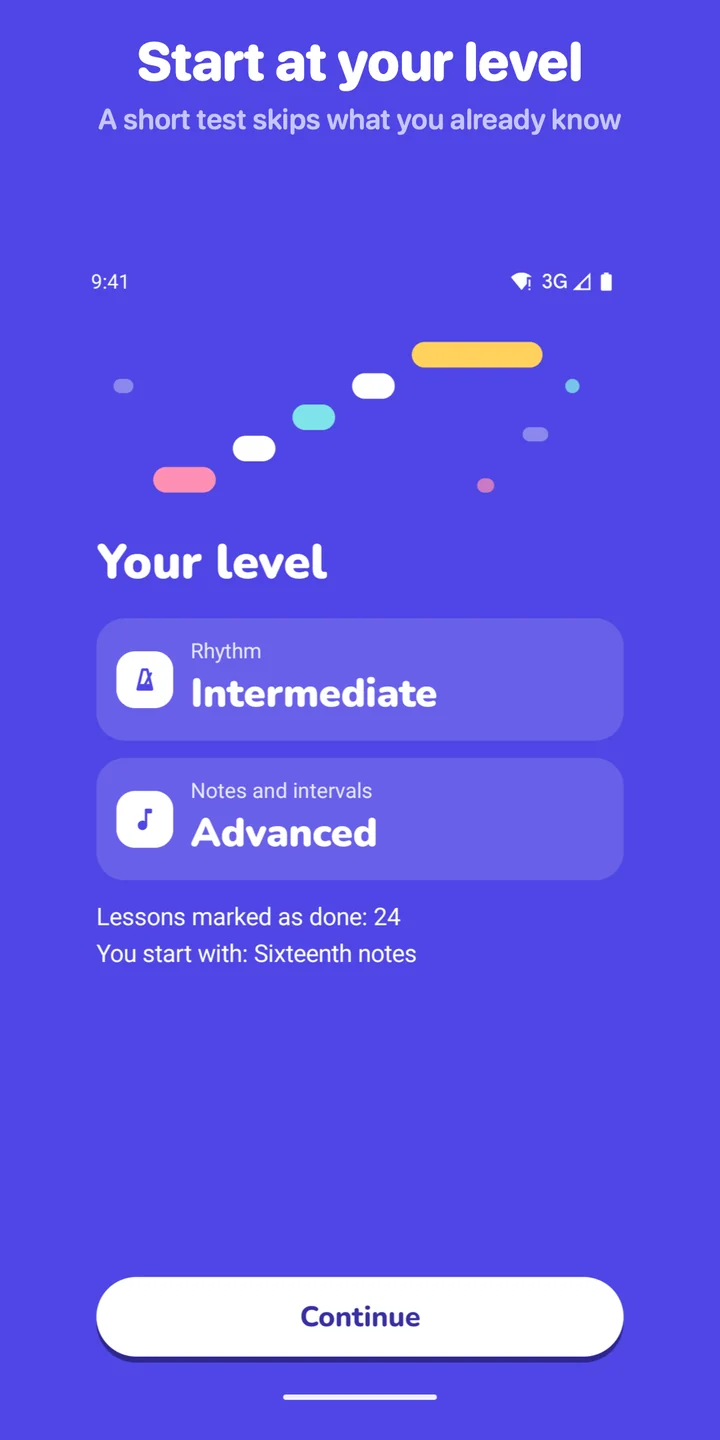
Twelve blocks lead from the first quarter notes to sevenths, modes and chromatic singing. Not a beginner? The placement test checks your rhythm and notes in about four minutes, marks the lessons you already know as done and starts you at your level.
After every lesson you see your score for each exercise and what the next session will practise, such as “Syncopation across the bar”. Reviews bring back the skills you find hardest.
Beginner
- Pulse and rhythm
- Notes and direction
- Intervals in context
- Short motifs
Intermediate
- Sixteenths and meters
- More intervals
- Melodies and chords
- Scale degrees
Advanced
- Triplets and odd meters
- All intervals
- Chromatics and modes
- Precise singing
Scored fairly, in your terms
Headphone delay
Bluetooth headphones play the sound late. Settings › Sound check › Calibrate measures the delay of yours, so your taps are not scored late. Wired headphones and the speaker are the most precise.
“I played it correctly”
Think the score is wrong? Tap it under the score and the exercise counts as passed.
Your note names
C D E F G A B, the German and Czech C D E F G A H, fixed do (Do Re Mi), or movable-do solfège, where “do” is the tonic of the exercise.
What went wrong
Not just a number: which beat came early, which note was wrong, a right note in the wrong octave, and by how many cents you sang sharp or flat.
KeenEar Pro
KeenEar is free to download, with the first 10 lessons, the placement test, the reviews and your streak. KeenEar Pro unlocks all 56 lessons, from beginner to advanced.
The first 10 lessons
Pulse and rhythm from quarter notes to simple syncopation, then your first notes to sing and play back. No time limit.
Yearly
7 days free
The first week is free for new subscribers. Cancel at least a day before it ends and you won’t be charged.
Monthly
Month to month
The same KeenEar Pro, without the free trial.
The app shows the price in your currency before you buy. Payment is charged through Google Play, and the subscription renews automatically until you cancel it in Google Play under Payments & subscriptions. If you cancel, Pro stays active until the end of the period you paid for, and you keep your progress.
Private by design
No account, no ads, no analytics, no tracking. KeenEar listens only while you answer an exercise; the sound is analysed on your device and is never stored or sent anywhere. Bluetooth is used only to connect MIDI keyboards, never to find your location. Your progress and settings stay on your device, and Google Play’s data safety section says No data collected. Subscriptions are handled by Google Play. Read the full privacy policy.
Frequently asked questions
What does KeenEar train?
Your musical ear and your sense of rhythm: keeping time, rhythms from quarter notes to triplets and odd meters, intervals and relative pitch, playing melodies by ear and singing in tune. Every exercise is performed: you hear a short prompt and play, sing or clap it back, and the app scores what it heard. Nothing is multiple choice.
How do I answer?
Rhythms by tapping the screen, clapping into the microphone or on MIDI pads. Melodies on the on-screen keyboard, a MIDI keyboard connected by USB or Bluetooth, or a guitar or bass through the microphone or a USB audio interface such as an iRig. Singing exercises with your voice; guitar and bass players can play them instead. Choose how you answer in Settings › How you answer.
Which devices does KeenEar run on?
Android phones and tablets with Android 8.0 or later. Tapping and the on-screen keyboard work without a microphone; clapping and singing need one. For rhythm, wired headphones or the speaker are the most precise.
Is there an iPhone or iPad version?
Not yet. Today KeenEar is available on Google Play for Android phones and tablets.
Why does KeenEar ask for the microphone?
To hear your clapping, singing or instrument and score the answer. It listens only while you answer an exercise; the sound is analysed on your device and is never stored or sent. If you refused it, open Android Settings › Apps › KeenEar › Permissions › Microphone. An exercise that needs the microphone also offers a button that opens these settings.
My taps seem late with Bluetooth headphones.
Bluetooth headphones delay the sound. Open Settings › Sound check and tap Calibrate: you tap along with a few clicks and the app measures the delay of that headphone, so your rhythm is scored fairly. Wired headphones or the phone’s speaker need no calibration.
What if the score feels unfair?
Tap “I played it correctly” or “I sang it correctly” under the score. The exercise counts as passed, and the answer helps make the scoring fairer.
Which note names does KeenEar use?
Your choice in Settings › Note names: C D E F G A B, the German and Czech C D E F G A H, fixed do (Do Re Mi), or movable-do solfège, where “do” is the tonic of the exercise so a melody keeps its names in any key.
I am not a beginner. Do I have to start at lesson 1?
No. The placement test (Settings › Find my level) checks your rhythm and notes in about four minutes, marks the lessons you already know as done and starts you at your level: Beginner, Intermediate or Advanced.
What is free and what is in KeenEar Pro?
The first 10 lessons are free with no time limit, together with the placement test, the reviews and your streak. KeenEar Pro unlocks all 56 lessons, from beginner to advanced: triplets, odd meters and fast syncopation; minor, modes and melodies in other keys; sevenths, the tritone and chromatic singing. Pro is a monthly subscription, or a yearly one that starts with a 7-day free trial for new subscribers. The app shows the price in your currency before you buy.
How do I cancel KeenEar Pro?
In the app: Settings › KeenEar Pro › Manage Subscription. Or open the Google Play Store app, tap your profile picture › Payments & subscriptions › Subscriptions. Cancel at least a day before the free week ends and you won’t be charged. If you cancel later, Pro stays active until the end of the period you paid for, and you keep your progress.
I bought KeenEar Pro on another device.
Open Settings › KeenEar Pro and tap Restore Purchases. The subscription is tied to the Google Account you bought it with.
Does KeenEar collect my data?
No. There is no account, no ads, no analytics and no tracking, and Google Play’s data safety section says “No data collected”. Your progress and settings stay on your device, and uninstalling the app deletes them. Bluetooth is used only to connect MIDI keyboards, never to find your location.
More questions? See the support page or email keenear@druidori.com.