Print and cursive, one letter at a time.
Handwriting practice for iPhone and iPad.
Loopy Letters teaches the handwriting your child learns at school, with a finger or Apple Pencil. It shows where each stroke starts, lets your child trace the model, then asks them to write on their own. Choose US or UK handwriting; French cursive is included too.
- US Traditional, Slanted and Vertical, each in print and cursive
- UK Print, Selected joins and Joined writing
- No ads, no account, no data collected
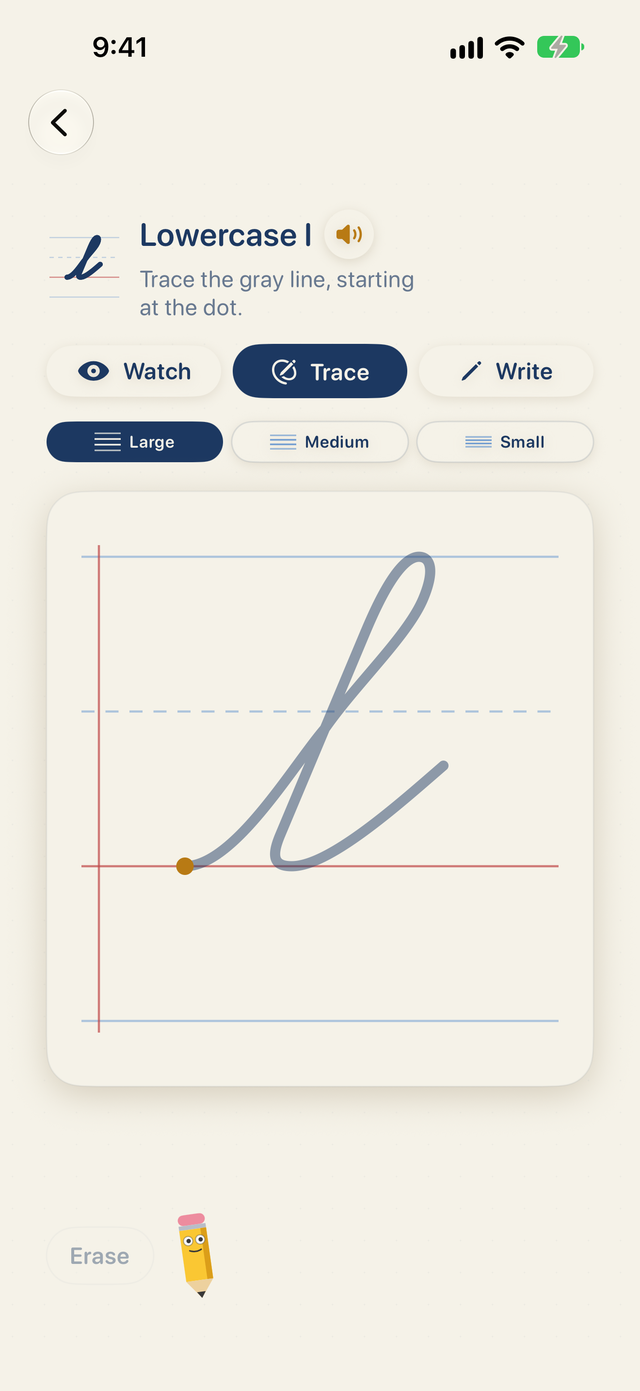
What is it? Loopy Letters is a pocket handwriting workbook. Your child picks a letter, a letter pair or a word, watches the stroke, traces the model from the dot, then tries alone. The app checks the start, direction and shape of each stroke, and the notebook keeps the best attempt. Warm-ups, numbers and the first letters are free; one purchase, with no subscription, unlocks the rest.
Loopy Letters in 15 seconds
Handwriting getting tricky? Loopy Letters shows where to start and how each stroke flows. Then your child traces the letter and tries it solo on iPad. Selected exercises are free; one purchase unlocks everything.
The video has no voice-over; the captions are in the picture. Turn on the music in the video controls.
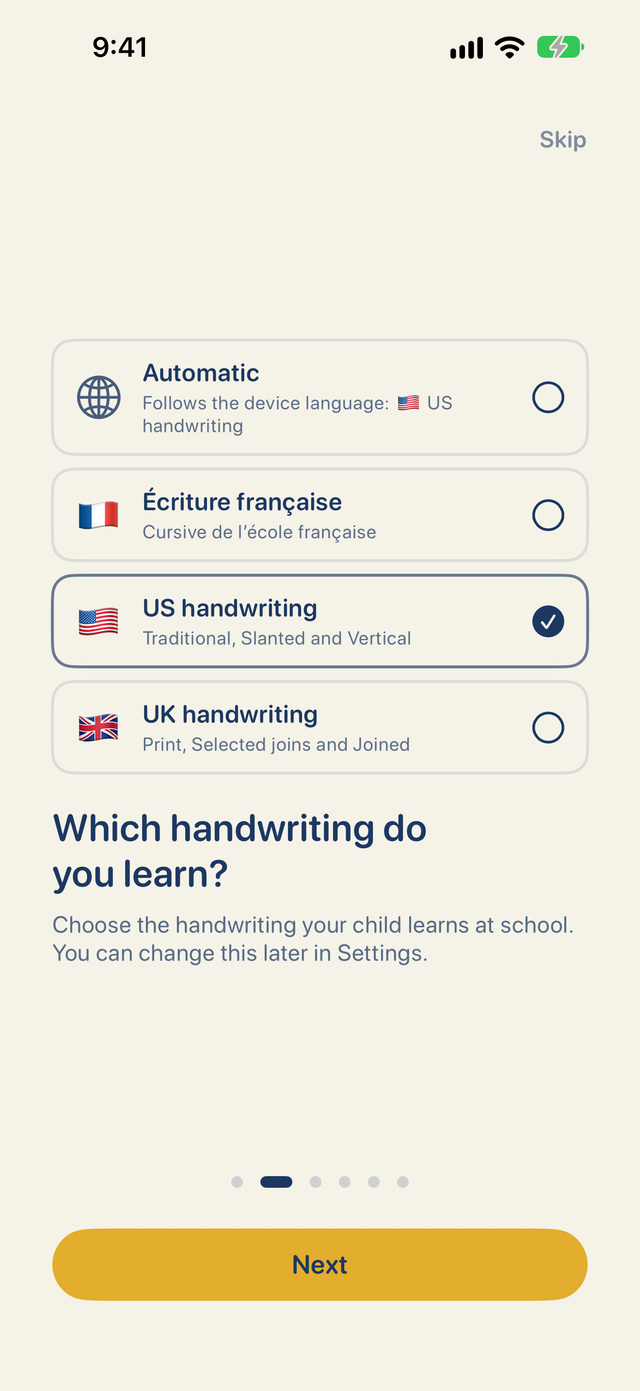
US, UK or French handwriting
The app follows the device language: US handwriting in English, UK handwriting in English with a UK region. You can choose another one in the introduction or in Settings, and go back to automatic at any time.
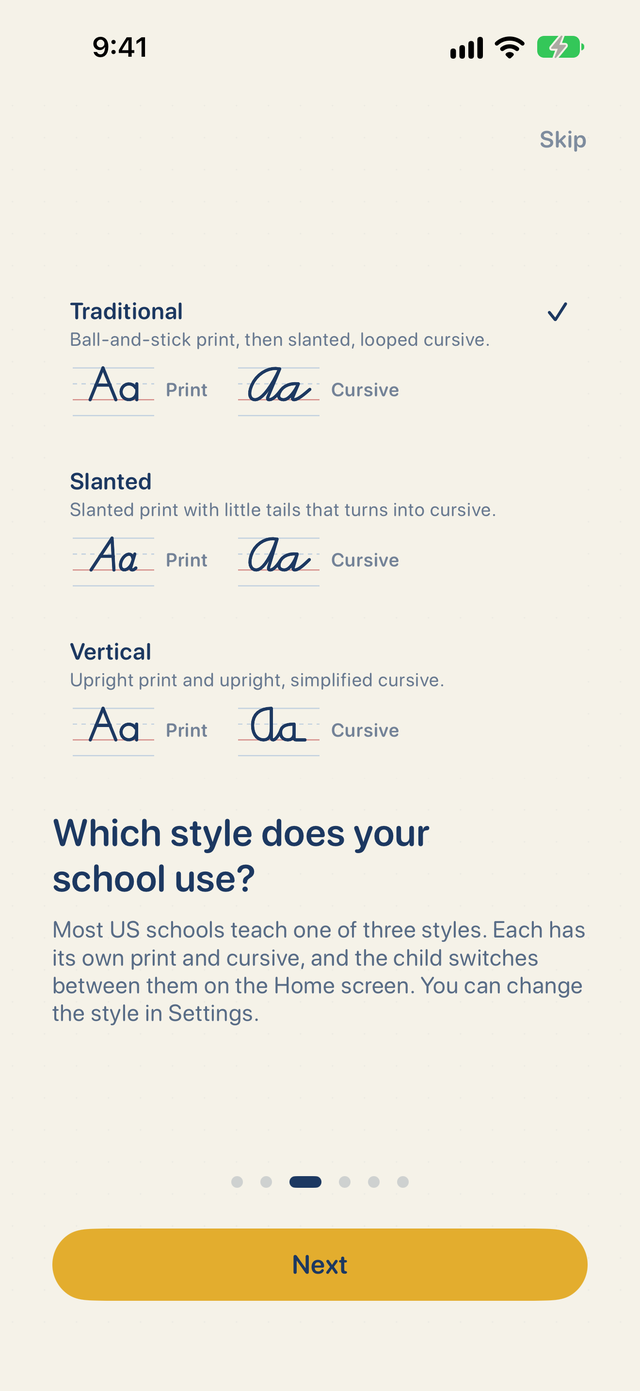
- US: Traditional, Slanted and Vertical, each with print and cursive, on primary paper with a dashed midline.
- UK: Print, Selected joins and Joined, with alternative f, q and t forms, British words and speech, on four-line guides.
- French: the joined cursive of French schools on Seyès ruling. In this collection the app is in French and is called Plumélio.
Each handwriting keeps its own stars, notebook and stickers.
How practice works
-
1
Watch
The animation shows where to start, the direction and order of the strokes, and where the pencil lifts. Play it as often as needed.
-
2
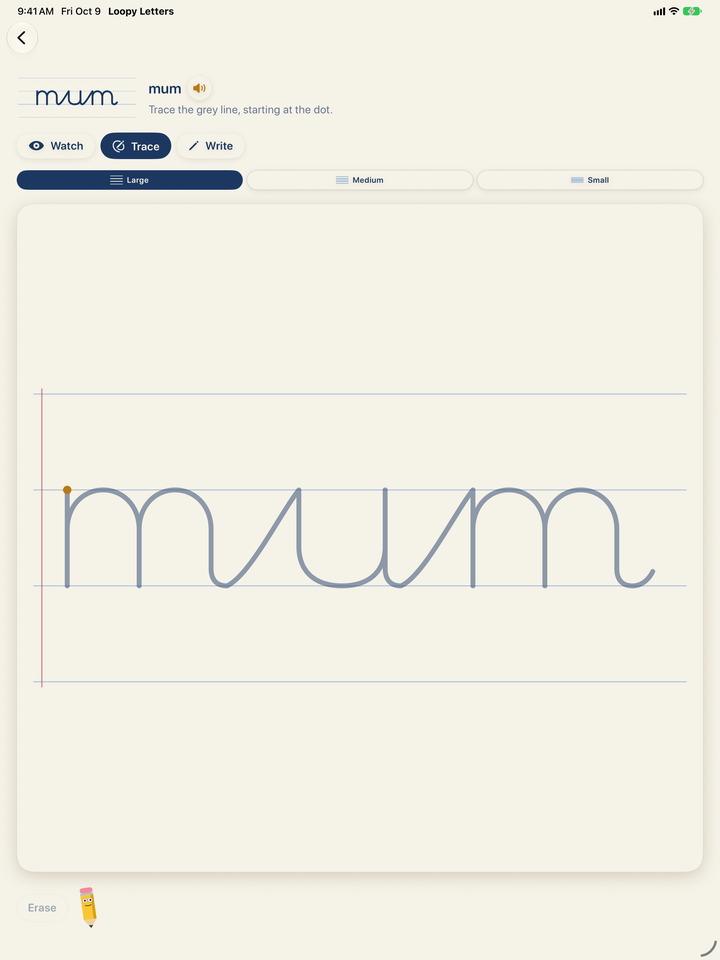
Trace
Follow the gray line from the dot. Loopy Letters watches the shape and direction and says right away when the hand takes another path.
-
3
Write
No model, only the guide lines. A good attempt earns three stars. An extra pencil lift or a pause mid-stroke is pointed out, without stopping your child.
What’s inside
Letters
Lowercase and capital letters in print and cursive, in the style your school uses.
Numbers and warm-ups
Numbers 0 to 9 and warm-up shapes: waves, loops and humps.
Letter pairs
Pairs such as ma and me to practice joins before whole words.
Words
Joined words with American or British spelling, your child’s name and your own text.
Notebook
The best attempt at every exercise and the history of stars, to see the progress.
Optional extras
Stickers, read-aloud, pencil sounds and Penny the Pencil. Each one can be switched off.
Pick your school’s style
Most US schools teach one of three style families, and each has its own print and cursive. Pick Traditional, Slanted or Vertical, then switch between print and cursive on the Home screen. Stars stay separate for each.
Programs may shape a few letters differently. Follow your child’s teacher.
Letters that join into words
Words are joined the way the chosen handwriting joins them, and the animation shows every join. In UK handwriting, choose Print, Selected joins or Joined as your child moves on.
Add your child’s name in Settings: it becomes the first exercise in Words.
A finger on iPhone, Apple Pencil on iPad
On a compatible iPad, Apple Pencil only lets the hand rest on the screen: only the tip writes. Three paper sizes are available, and the left-handed layout moves the controls to the other side. On iPhone, a finger is all you need.
Simple pricing, no subscription
Free
$0
Warm-ups, numbers, capitals A and M, the first row of letter pairs or syllables, six lowercase letters and a sample word in every handwriting. No ads.
Everything
$8.99 once
Every letter, pair and word in all three handwriting collections, plus your child’s name and your own text. £8.99 in the UK. Family Sharing. A question for grown-ups comes before the purchase.
🏫 Buying for a school?
Loopy Letters School includes every exercise in the price of the app, with no in-app purchases and no student accounts. Schools buy it in Apple School Manager, at half price from 20 licenses. It also has the school handwriting of eight more countries. Loopy Letters School for schools
Privacy: nothing to collect
No account, no usage analytics, no advertising. The App Store label is Data Not Collected. Writing is scored on the device and never sent anywhere; Apple handles the purchase. Read the privacy policy.
Frequently asked questions
Who is Loopy Letters for?
Children learning print and cursive at home or alongside school, from preschool to the first years of elementary school. On iPhone they write with a finger; on iPad with a finger or Apple Pencil. The notebook keeps the best attempt at every exercise.
Which handwriting does it teach?
US handwriting in three style families, each with its own print and cursive: Traditional (ball-and-stick print, then slanted, looped cursive), Slanted (slanted print with little tails that turns into cursive) and Vertical (upright print and simplified upright cursive). UK handwriting as Print, Selected joins and Joined, with alternative f, q and t forms and British words and speech. The app also includes French school cursive; in that collection it switches to French and is called Plumélio.
How does the app choose US, UK or French handwriting?
By default it follows the device language: English gives US handwriting, English with a UK region gives UK handwriting, and French gives French cursive. You can choose another handwriting in onboarding or in Settings, or go back to automatic. Each handwriting keeps its own stars, notebook and stickers.
What is free, and what does Everything unlock?
In every handwriting, warm-ups, numbers, capitals A and M, the first row of letter pairs or syllables and a sample word are free, plus six lowercase letters: i, u, e, l, a and m in US handwriting, c, o, a, d, m and u in UK handwriting. The one-time purchase Everything ($8.99 in the US, £8.99 in the UK) unlocks every letter, pair and word in all three, plus your child’s name and your own text. It is not a subscription, and Family Sharing covers the children in the family.
How does the app score the writing?
In Write, Loopy Letters compares the attempt with the model: where it starts, its direction and shape, the pencil lifts and a steady hand. Three stars reward a good attempt. Stars show how closely the writing follows the model; they are not a school grade, so follow your child’s teacher and practice on paper too.
Does it work offline, and what data does it collect?
Exercises work without a connection and the app collects no data: the App Store privacy label is Data Not Collected. The name, progress and writing stay on the device. There is no account and no advertising.
Is there a version for schools?
Yes. Loopy Letters School ($8.99 in the US, £8.99 in the UK) includes every exercise with no in-app purchase, so schools can buy licenses in volume through Apple School Manager, at half price from 20 licenses. Besides the US, UK and French handwriting, it has the school handwriting of eight more countries since version 1.2, each in its own language: Czech, Slovak, Polish, Hungarian, Austrian, German, Italian and Spanish.
More answers are on the help page, or write to info@druidori.com. Looking for French cursive? See Plumélio.