Handwriting practice for the whole class.
Loopy Letters School, the school edition of Loopy Letters.
Loopy Letters School teaches US and UK handwriting on iPad and iPhone, with a finger or Apple Pencil: print and cursive, letter by letter and joined into words. Every exercise is included in the price of the app, students need no account and nothing is bought on their iPads. Schools get licenses in Apple School Manager, at half price from 20 licenses.
- Everything included, no in-app purchases, no subscription
- Volume purchase in Apple School Manager, deployment with your MDM
- No student accounts, no ads, no data collected, works offline
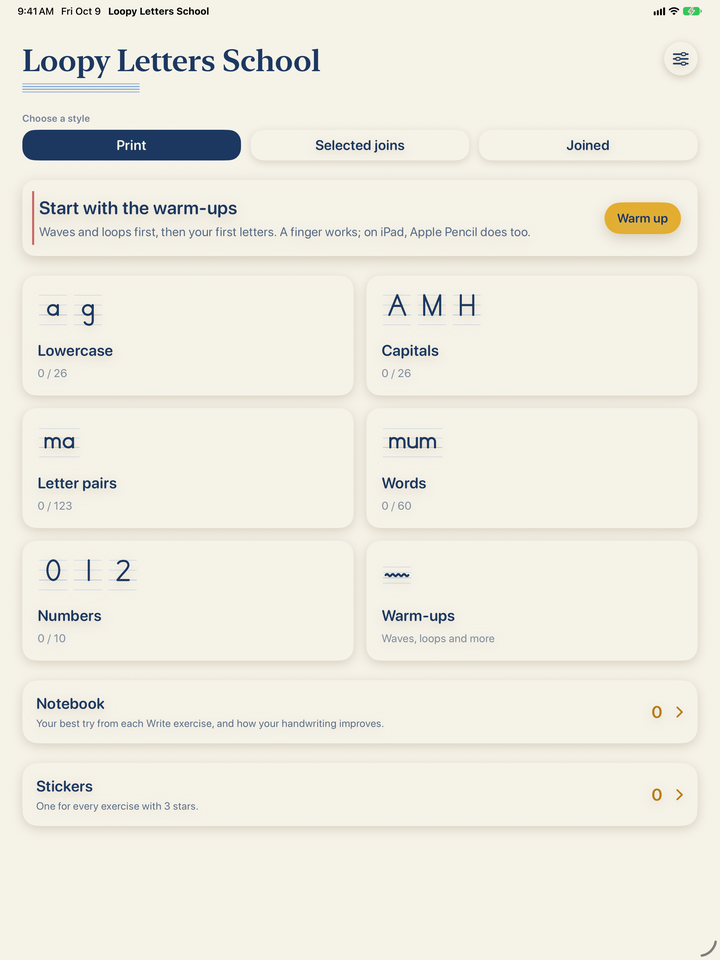
What is it? Loopy Letters School is the Loopy Letters handwriting workbook, made for schools. A child picks a letter, a letter pair or a word, watches the stroke, traces the model from the dot, then writes it alone. The app checks the start, direction and shape of each stroke. Instead of an in-app purchase, you pay once per license, so a school can set up every iPad at once.
Loopy Letters School in 15 seconds
A child writes in a notebook. Then Loopy Letters School shows where the strokes of a cursive a go, and the child writes on the iPad alone with Apple Pencil. It ends with Loopy Letters School, US and UK handwriting: a paid app with everything included and no in-app purchases.
The video has no narration; the captions are part of the picture. Turn on the music in the video controls.
Why the school edition
✅ Everything included
Every exercise is unlocked from the first launch: warm-ups, numbers, print and cursive letters, letter pairs, words, the child’s name and your own text.
🏫 Bought through Apple School Manager
Get licenses in Apps and Books. Schools that buy 20 or more at once pay half price.
👧 No student accounts
There is nothing to sign up for or log in to. Students open the app and practice. Nothing is bought on their iPads.
📴 Works offline
A connection is needed only to install the app. Exercises and the notebook then work offline, even in a classroom with weak Wi-Fi.
🔒 Data Not Collected
No analytics, no ads and no third-party SDKs. Names, texts and writing stay on the iPad; nothing is sent to us or to anyone else.
✏️ Apple Pencil, fingers and left-handers
An Apple Pencil only mode so a resting palm leaves no marks, a left-handed layout and three paper sizes.
How to buy and deploy it
-
1
Find it in Apple School Manager
In Apps and Books, search for Loopy Letters School or Plumélio École from the developer druidori s.r.o.
-
2
Get licenses
One for each iPad. Schools that buy 20 or more licenses at once pay half price.
-
3
Assign it to your iPads
Whoever manages your devices installs the app with your device management service (MDM). Students need no account, and nothing is bought on their iPads.
Teachers and families can also buy it on the App Store with a personal account. To install it on more school devices, ask the person who manages your iPads and licenses.
Watch, trace, write
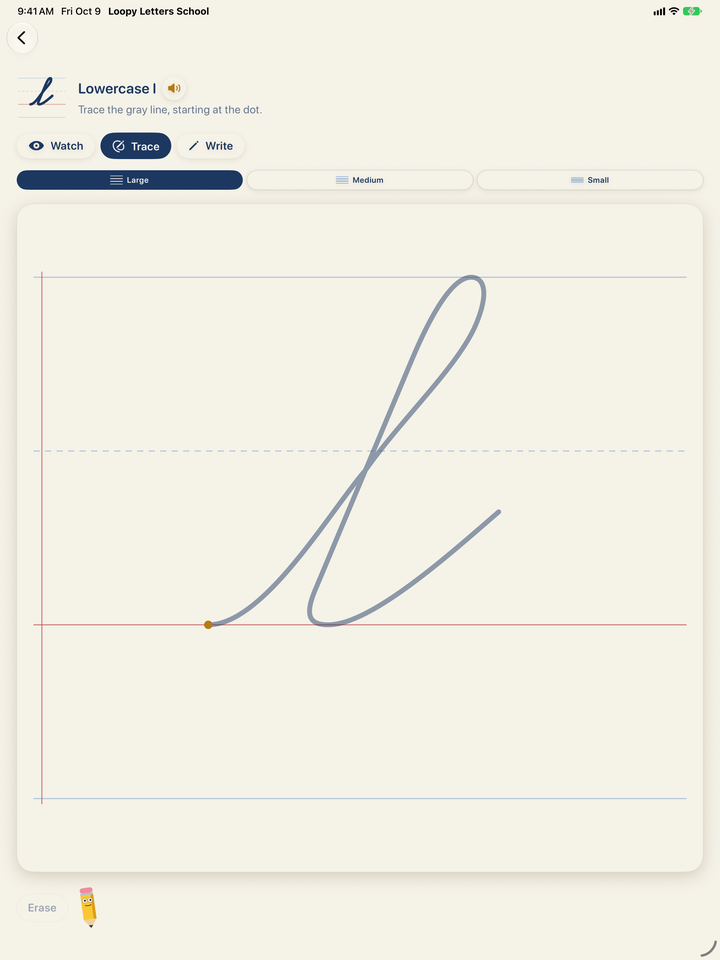
Every letter has three steps. Watch shows where to start and the direction and order of each stroke. In Trace, the child follows the gray model from the dot. In Write, the child tries without the model and earns stars for the shape, the start, the direction, the pencil lifts and a steady hand.
Stars are a guide, not a grade. Follow the way your school teaches handwriting, and keep practicing on paper too.
US handwriting: three style families
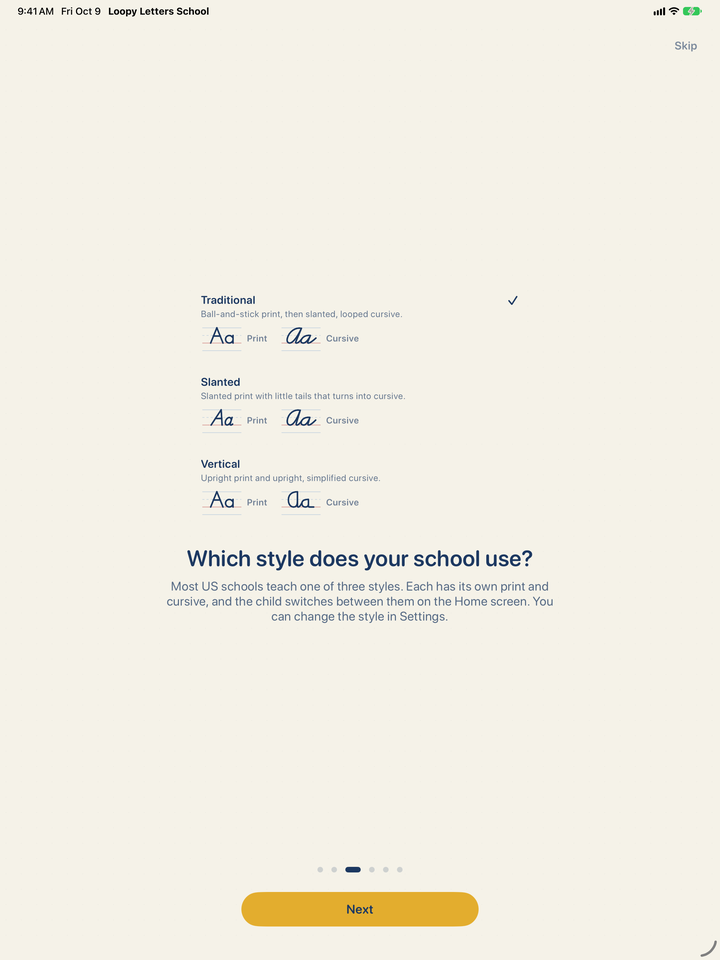
Most US schools teach one of three families of handwriting styles, and the app has all three, each with its own print and cursive, on primary paper with a blue headline, a dashed midline and a red baseline:
- Traditional: upright ball-and-stick print, then slanted, looped, fully joined cursive.
- Slanted: slanted print with little tails that turns into cursive by adding the joins.
- Vertical: upright, simple print and upright, simplified cursive with few loops.
Pick your school’s style in Settings → Handwriting style and switch between Print and Cursive on the Home screen. Programs may shape a few letters differently; follow the model you teach.
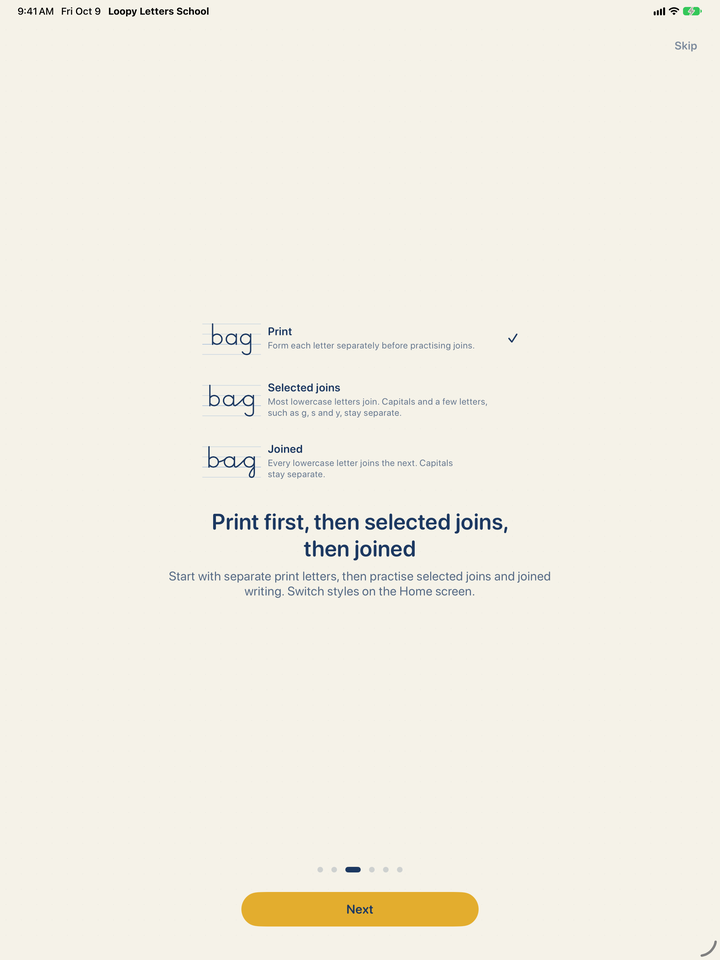
UK handwriting: print, selected joins, joined
The UK collection follows handwriting conventions used in England: Print, Selected joins and Joined, on four-line guides, with British-English words and speech. Pupils can start with separate print letters and move on to joined handwriting; capitals stay separate.
Settings offers alternative f, q and t forms, so you can match the model your school uses. Schools in the other UK nations may teach different conventions.
One app, eleven school handwriting collections
On the App Store you also find Loopy Letters School as Plumélio École. It is the same app: in each language it takes the name of that country’s school edition. On an iPad set to English it is called Loopy Letters School, also on the Home Screen, and opens US or UK handwriting depending on the region.
It also includes French cursive and the school handwriting of eight more European countries, each in its own language, with its own words and speech: Plumélio École (French), Prvopis Škola (Czech and Slovak), Kaligrafia Szkoła (Polish), Íróka Iskola (Hungarian), Schreibschrift Schule (Austrian and German), Corsivo Scuola (Italian) and Letra Ligada Escuela (Spanish). Change the handwriting in Settings → Handwriting and language; each one keeps its own stars, notebook, stickers and recent texts.
Sharing an iPad in class
Loopy Letters School has no student profiles, no teacher dashboard and no sync between devices. Children on one iPad share the same notebook and settings. Before the next child uses it, tap Reset progress and Clear recent texts in Settings and remove the name in the Child’s name field. Progress and recent texts are cleared only for the selected handwriting.
Pricing
Loopy Letters School
$8.99 per license
£8.99 in the UK. Every exercise included, no in-app purchase and no subscription. Half price from 20 licenses in Apple School Manager.
Loopy Letters for home
$0 to download
For parents: the first letters are free, and one purchase of $8.99 (£8.99 in the UK) unlocks everything. Loopy Letters
Privacy: nothing to collect
The app has no accounts, no analytics and no ads, and its App Store privacy label is Data Not Collected. Writing is scored on the iPad and never sent anywhere. The name, texts and progress stay on the device and in its backups, which the school manages. Apple handles the purchase and the licenses. Read the full privacy policy.
Frequently asked questions
How do I find Loopy Letters School in Apple School Manager?
In Apps and Books, search for Loopy Letters School or Plumélio École from the developer druidori s.r.o. It is one app with a different name in each language.
How much does it cost, and is there a discount for schools?
One license costs $8.99 on the US App Store and £8.99 on the UK App Store, with every exercise included. Schools that buy 20 or more licenses at once in Apple School Manager pay half price. There is no in-app purchase or subscription.
Do students need an account or an Apple Account?
No. The app has no accounts and no student profiles. The school manages the licenses in Apple School Manager and assigns the app to iPads with its device management service (MDM). Nothing is bought on a student’s iPad.
Does the app work offline?
Yes. A connection is needed only to buy and install the app. The exercises and the notebook then work offline.
What about student data and privacy?
The app collects no data, and its App Store privacy label is Data Not Collected. It has no analytics, no advertising and no third-party SDKs. The name, texts, progress and writing stay on the iPad and in its backups, which the school manages. We have no access to data on the device.
Can several children share one iPad?
Yes, but the app has no student profiles and no teacher dashboard: children on one iPad share the same notebook and settings. Before the next child uses it, tap Reset progress and Clear recent texts in Settings and remove the name in the Child’s name field.
Which handwriting does it teach?
US handwriting in three style families, each with its own print and cursive: Traditional, Slanted and Vertical. UK handwriting as Print, Selected joins and Joined, following conventions used in England, with alternative f, q and t forms. Programs and schemes may shape a few letters differently, so follow the model your school teaches.
How is it different from Loopy Letters?
The exercises are the same as in Loopy Letters with Everything unlocked. Loopy Letters School includes everything in the price of the app, so schools can buy it in volume. It is a separate app: a Loopy Letters purchase and notebook do not carry over.
Does it include other languages?
Yes. Besides US and UK handwriting, it has French cursive and, since version 1.2, the school handwriting of the Czech Republic, Slovakia, Poland, Hungary, Austria, Germany, Italy and Spain, each in its own language. Choose one in Settings → Handwriting and language.
Does it work on iPhone too?
Yes, on iPhone and iPad with iOS 17 or later. On iPhone children write with a finger; on iPad with a finger or Apple Pencil.
More answers are on the help page, or write to info@druidori.com.
Handwriting for the whole class
$8.99 per license · half price from 20 licenses · works offline
Download on theApp StoreIn the UK, get it on the UK App Store for £8.99. Questions about deploying it at your school? Write to info@druidori.com.